
Getting started with Legora

This guide introduces Legora’s core features and how they can support your work. Whether you’re drafting, reviewing, or comparing documents, Legora is designed to help you move quickly and focus on the substance of your practice.

The core tools

Legora offers three main tools you’ll use most often:
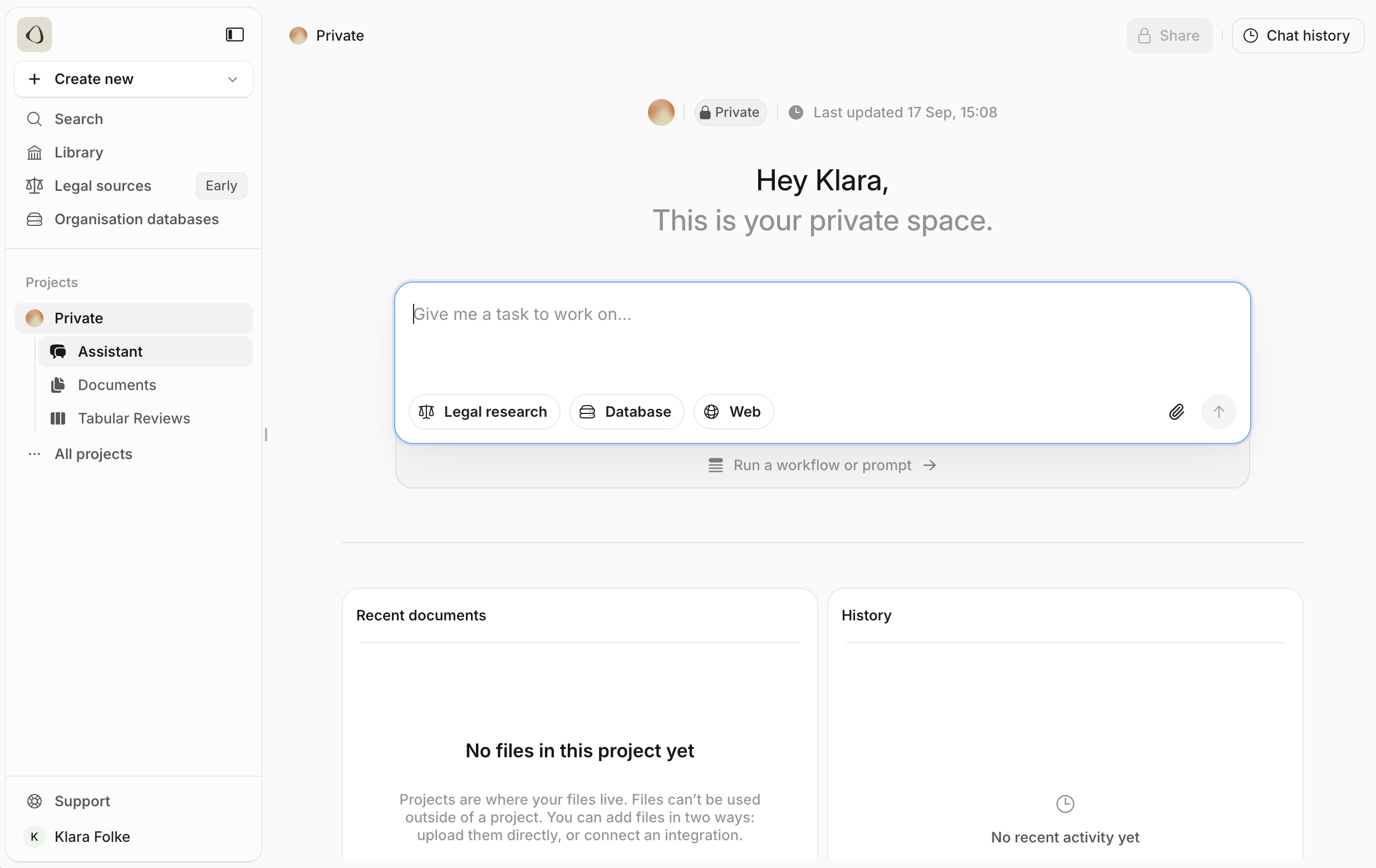
  • Assistant – A versatile AI assistant for drafting, analysis, and comparisons.
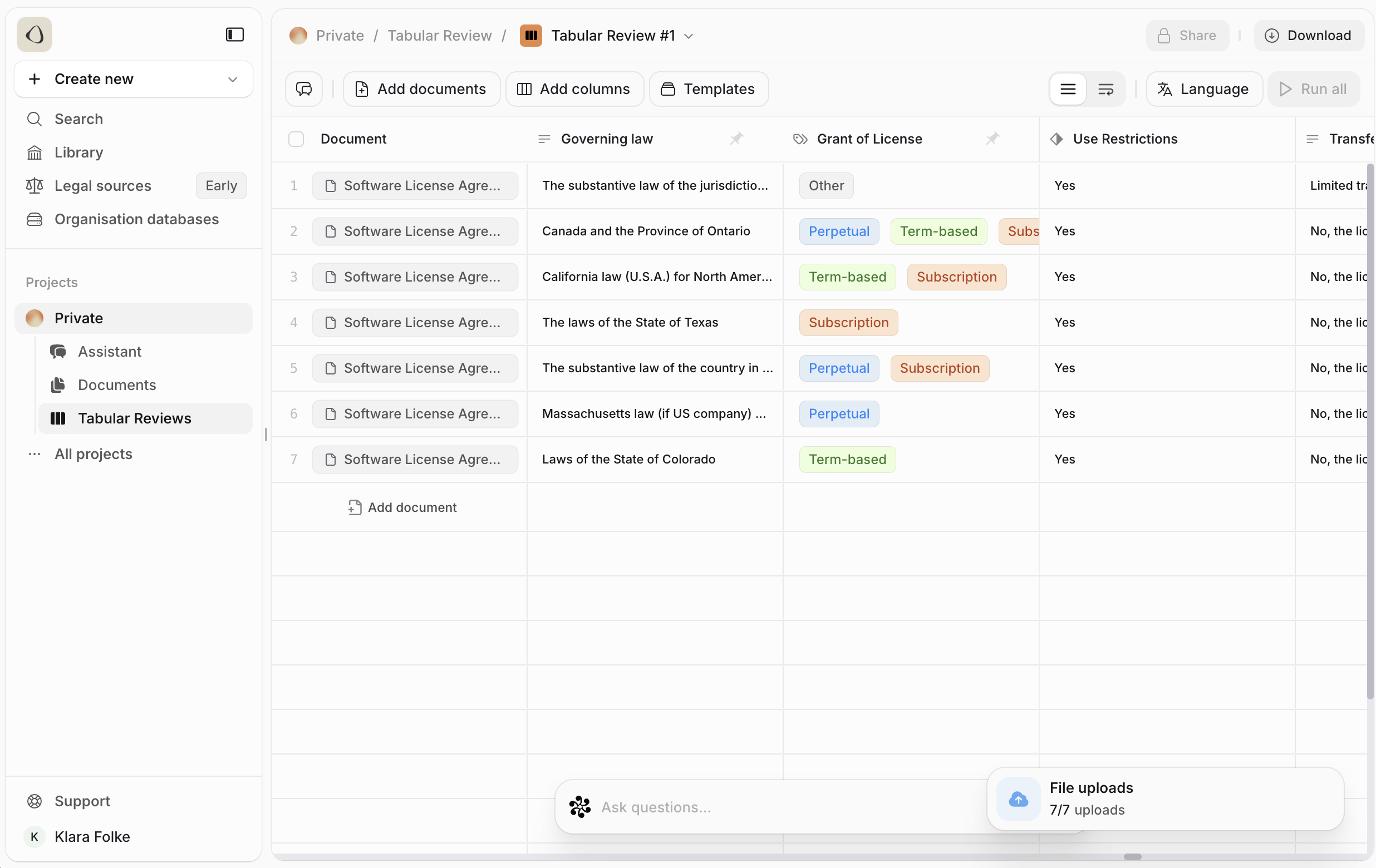
  • Tabular Review – A way to structure and analyse large sets of documents.
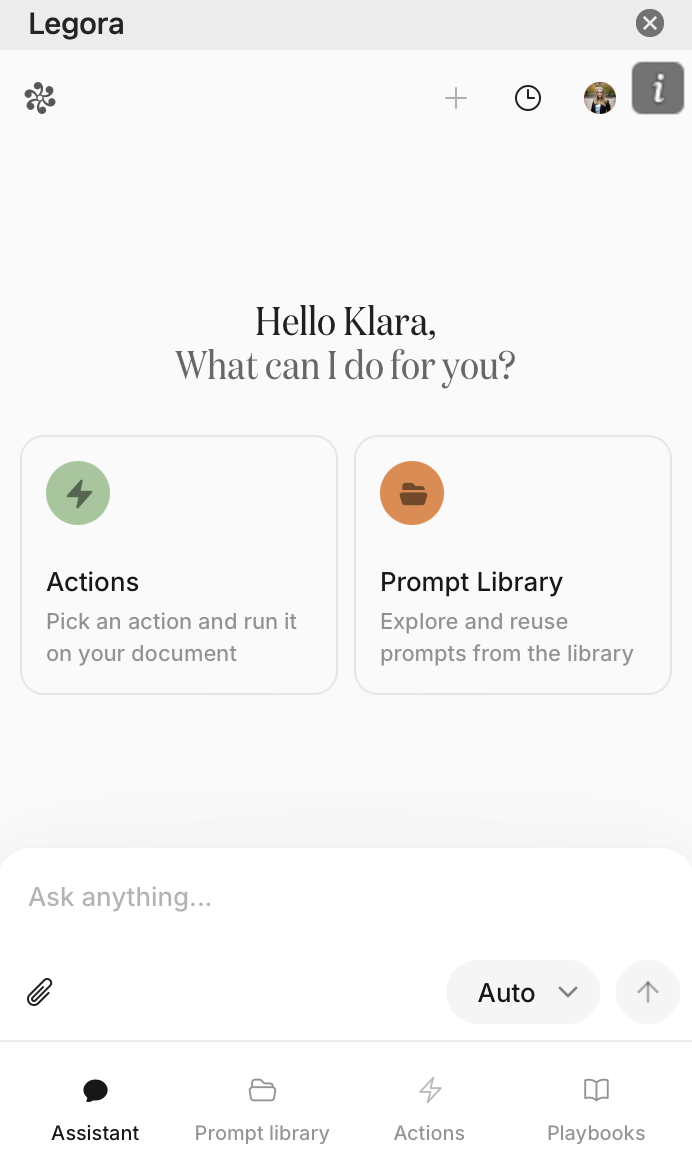
  • Word Add-in – Brings Legora’s capabilities directly into Microsoft Word.
You’ll also find advanced options like workflows and playbooks.

Assistant

Assistant The Assistant is your starting point for many day-to-day tasks. Lawyers use it to:
  • Summarise agreements or key provisions
  • Generate closing checklists or tables
  • Transcribe audio recordings—instrumental in litigation
  • Compare agreements and flag deviations
  • Research legislation or recent developments through a Web search
It works best when you’re clear about what you want. For example, instead of asking for a “summary,” specify “summarise the confidentiality clause in this NDA in under 150 words.”

Tabular Review

Tabular Review Tabular Review makes the process more efficient when you need to review a large volume of documents. Imagine a due diligence exercise with hundreds of agreements. Instead of manually extracting key provisions into a spreadsheet, Tabular Review organises the information into a structured table in seconds. This not only saves time but also provides a consistent basis for analysis.

Word Add-in

Word Add-in The Word Add-in lets you use Legora directly inside Microsoft Word. You can edit your document, ask questions, and even automate tasks. For example, you can have the add-in fill out a template with known information, and it will seamlessly insert the content into your draft.

Getting the most from your prompts

How you phrase a request makes a real difference. A few practical guidelines:
  1. Define the objective – State precisely what you want, such as extracting a clause or drafting a summary.
  2. Provide context – Specify the transaction type (e.g. buy-side vs. sell-side M&A) or limits such as word count.
  3. Refine style – Once the content is right, adjust tone and format—ask for house style, bullet points, or a table.
With a clear prompt, Legora can produce work that is accurate and tailored to your practice.

Next steps

You now have an overview of Legora’s key features and how they can support your work. In the next section, we’ll walk through how to log in and set up your first project or matter.